Overview
I led the UX and UI design for a new clinical portal that nurses use to manage patient information, study workflows, and site communications. The goal was to replace an outdated system with a modern, intuitive platform that simplified daily tasks and improved overall usability.
Role: Product Design Analyst
Timeline: Jan 2023 – Oct 2025
Team: Product, Engineering, Tech Ops, and Clinical Stakeholders
Tools: Figma, Confluence, Jira, Adobe CC
Timeline: Jan 2023 – Oct 2025
Team: Product, Engineering, Tech Ops, and Clinical Stakeholders
Tools: Figma, Confluence, Jira, Adobe CC
Challenge
Nurses were juggling multiple systems and inconsistent interfaces (Excel, SharePoint, Multiple Note files, Etc...) to manage study participants, often losing time to redundant workflows and unclear navigation. Accessibility issues and fragmented permissions created additional strain. The goal was to design a single, cohesive experience that streamlined essential functions while supporting complex site roles and permissions.
Research & Discovery
I conducted interviews with nurses and site coordinators to identify core frustrations and workflow bottlenecks. Through affinity mapping and feedback synthesis, key insights emerged:
• Too many places where key pieces of information lived.
• Infrequent updating of key files
• Overstimulation of data displayed on reports
• Too much navigation
These findings shaped our early wireframes and defined usability priorities: clarity, hierarchy, and accessibility.
Due to confidentiality restrictions, I cannot share screenshots or internal files from this project. At a high level, the original workflow was intended to help nurses track the status of patient referrals and determine when follow-up actions were required. These actions were tied to specific milestones within the internal database and operational pipeline.
In practice, the system was cumbersome, fragmented, and deeply inefficient. Nurse Leads distributed manual email lists with task assignments generated from an unstable reporting tool that attempted to pull an overwhelming amount of data from the database. The resulting report was essentially an oversized Excel sheet—spanning multiple screens both vertically and horizontally—forcing users to scroll endlessly to locate key information. Task completion was then tracked through SharePoint, where nurses uploaded individual files labeled by name and timestamp. This process lacked visibility, scalability, and real-time feedback, leading to redundant work, miscommunication, and frustration across teams.
My primary goal during discovery was to understand how nurses actually performed their daily tasks and what they needed most from a redesigned system. Through direct interviews and workflow observation, I asked targeted questions such as:
• “Which pieces of information are most essential to your workflow?”
• “What pain points do you encounter when navigating multiple tools or locations to update patient data?”
• “Which files or reports are critical to your process, and how could their functionality be built directly into a single, streamlined interface?”
These conversations shaped a clear picture of their priorities and guided the design toward a solution that was not only efficient, but genuinely supportive of their day-to-day responsibilities.
Design & Iteration
Using Figma, I translated research insights into scalable wireframes and interactive prototypes. We introduced a modular dashboard system with role-based layouts and streamlined navigation. Multiple feedback sessions with end users (Nurses) informed refinements.
I collaborated directly with engineering to validate technical feasibility, iterate on component behavior, and ensure parity between design and implementation.

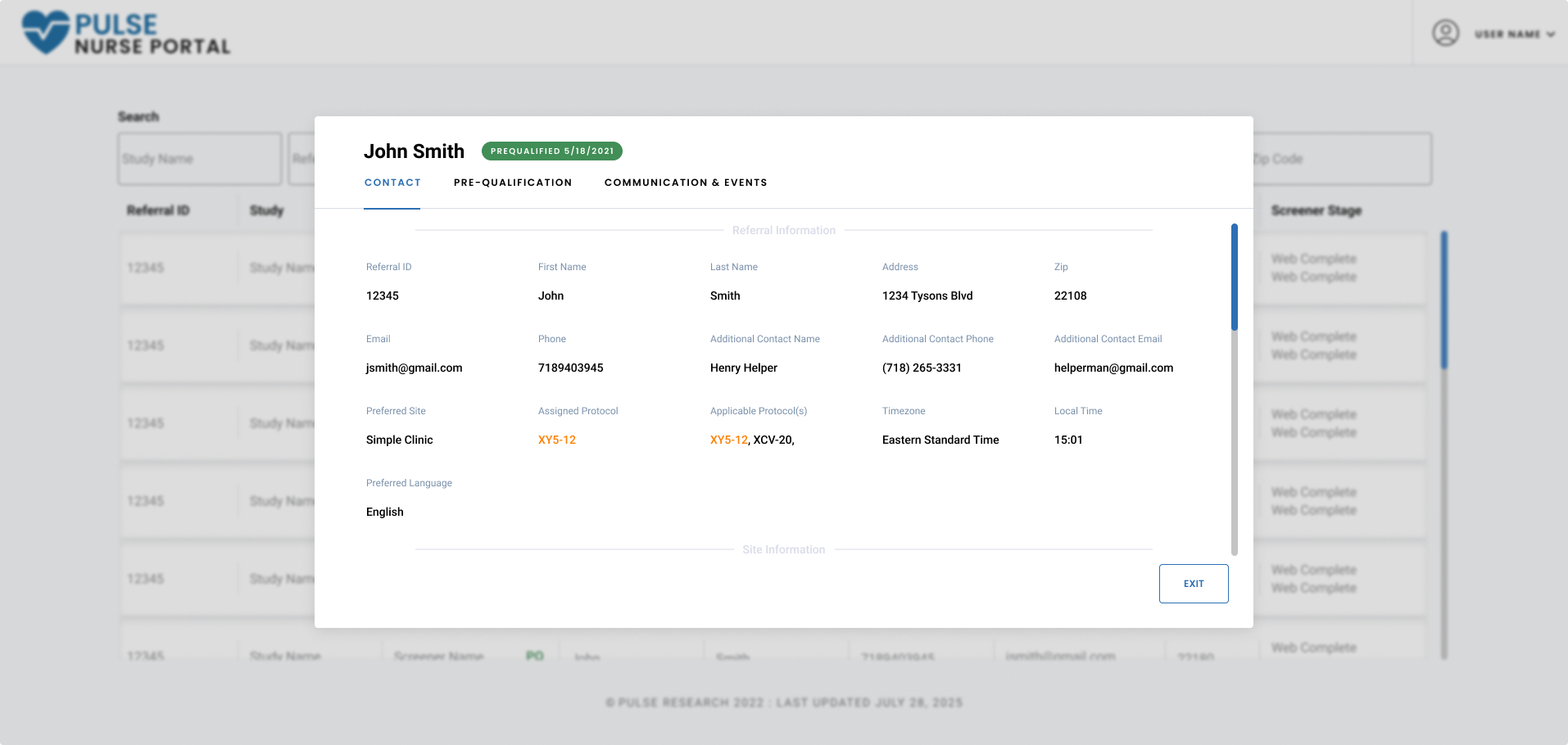
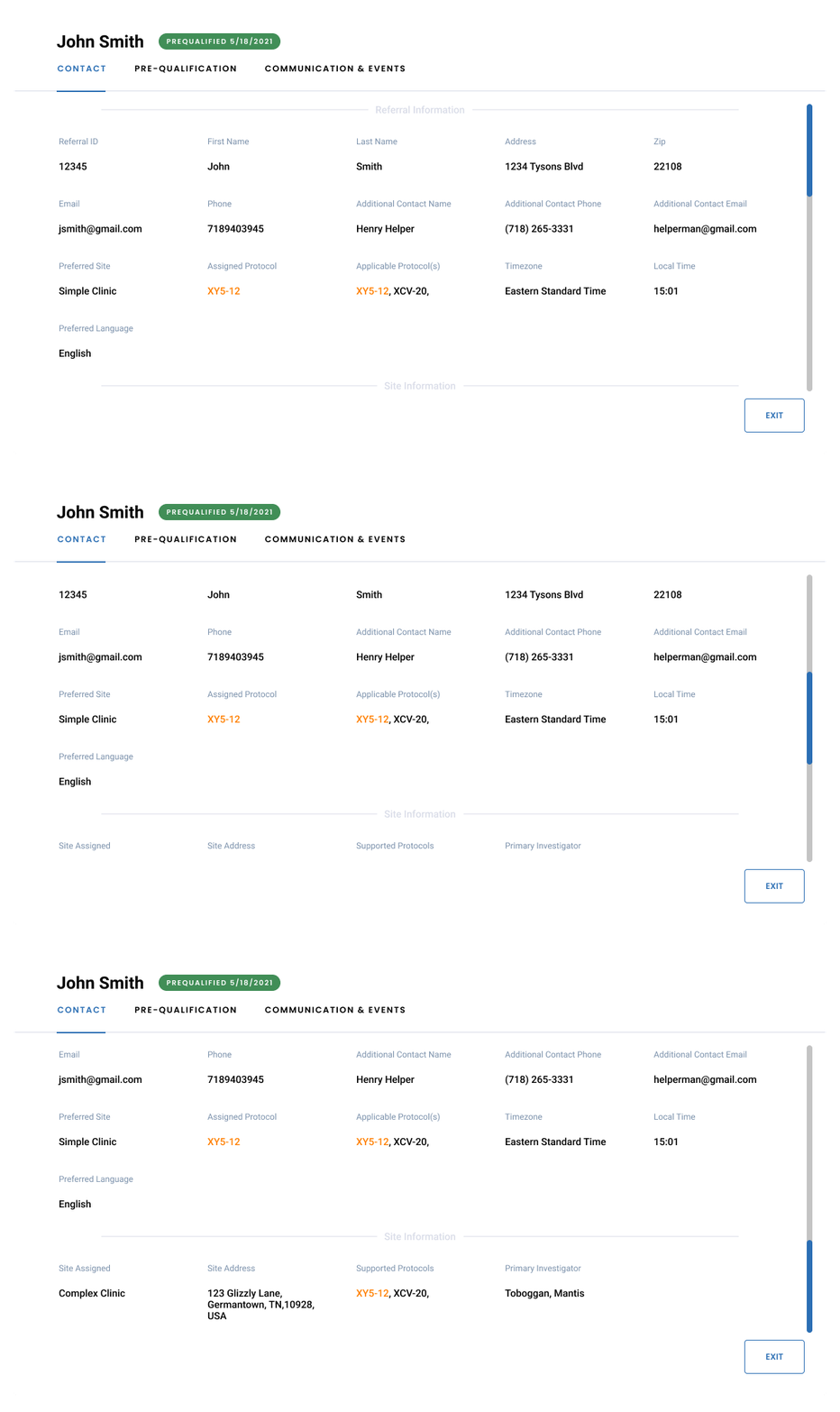
Through consultations with the nursing staff and workflow observation, I identified a core data set required by Nurses, effectively establishing the minimum viable information needed for task recognition and action. Prior to this project, these key data points existed in disparate locations across multiple interfaces, with no unified structure for indexing, sorting, or search. Consolidating these attributes into a centralized UI became the foundation for improving discoverability, data integrity, and workflow efficiency within the Nurse Portal.

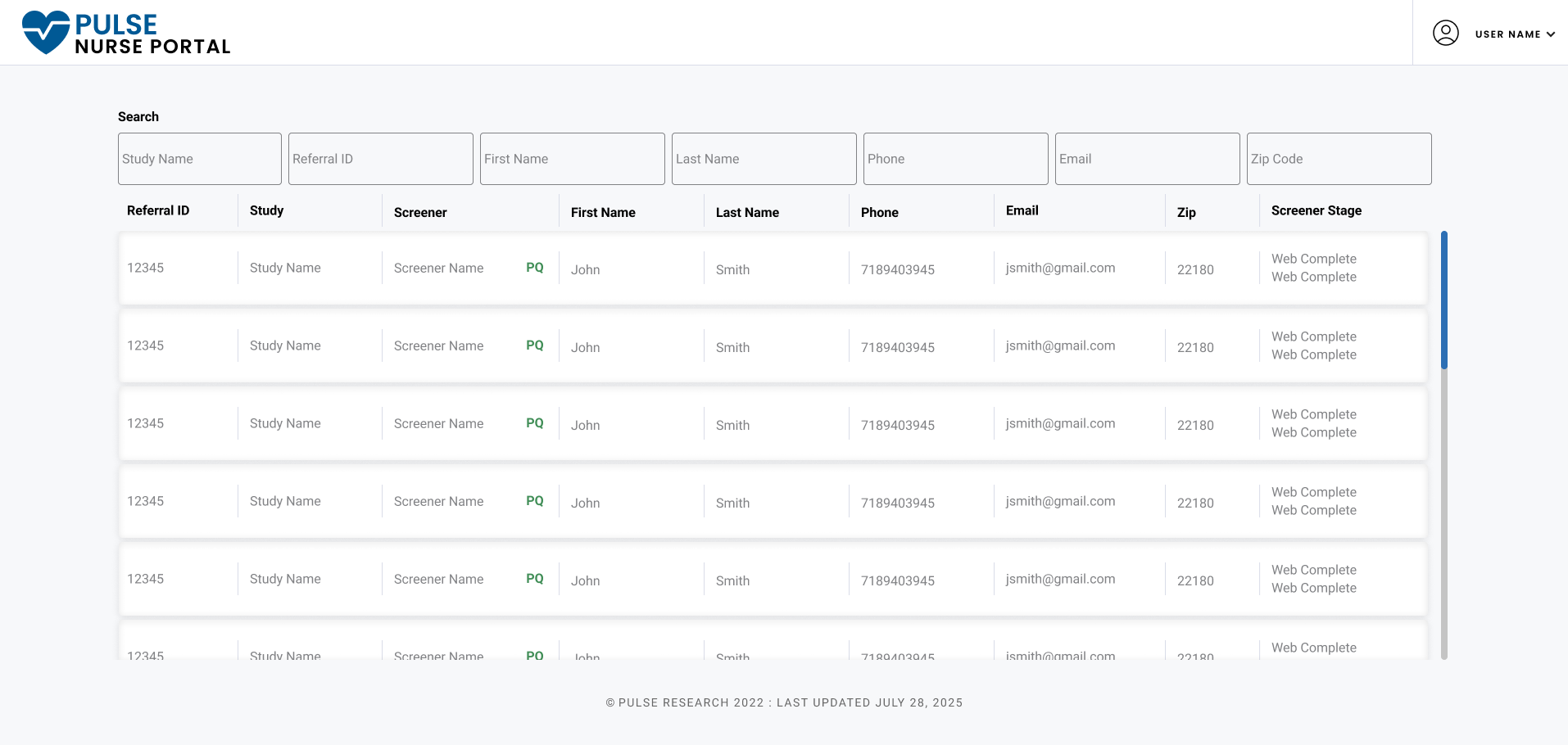
To improve data retrieval and reduce time spent manually scanning reports, I implemented a modular, field-specific search architecture within the Nurse Portal. The primary entry point was the Study search, designed as a global filter to accommodate the way nurses organized their work—typically by study assignment. Unlike the other fields, this component leveraged dynamic query logic to generate an adaptive dropdown menu populated only with studies the user was authorized to access.
Based on user feedback, each results table was structured with Referral ID as the leading column header, streamlining the process of locating and sorting individual referrals. Additional field-level search inputs allowed users to progressively narrow their results using any known data point—such as participant name, site, or phone number—significantly reducing the time required to locate relevant records within the database.

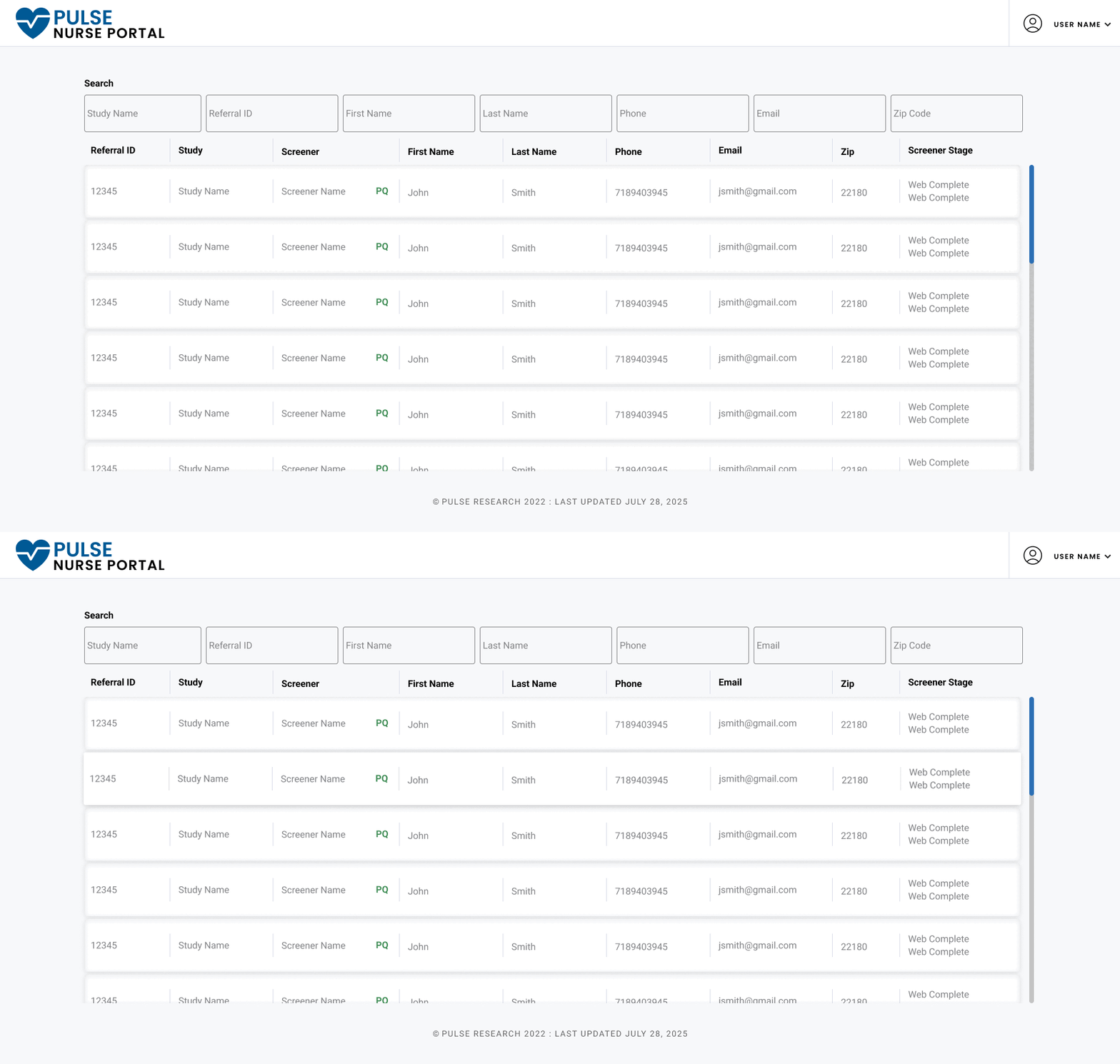
To improve readability and streamline user interaction, row cards were designed to function as modular, self-contained data objects representing individual referrals. Each card surface displays the minimum required identifying information, along with key contextual details such as the screener name, current status (e.g., PQ, DQ, Incomplete), and any associated action prompts. This structure enables nurses to quickly assess referral states and determine whether follow-up is needed, such as contacting participants who qualified, were disqualified, or became inactive. A subtle hover elevation effect was introduced to provide immediate visual feedback and reinforce object interactivity, an enhancement that users described during testing as “very satisfying” and intuitive.
MVP
The Nurse Portal shown below represents the most complete version of the platform as of September 2025. When first launched, the portal contained a minimal feature set, but as it became central to the nursing workflow, serving roughly 30% of the organization, it underwent multiple rounds of iterative enhancements based on ongoing interviews and feedback from lead nurses. One of the most impactful updates was the addition of a real-time screening progress column, enabling staff to instantly view each referral’s current stage within the screening pipeline.
We also implemented an integration with a third-party call management platform, allowing nurses to search and access referral records directly within the call environment via an embedded i-frame, without context-switching between systems. Data from the central database was synchronized in real time, ensuring that each nurse’s portal view dynamically reflected only the referrals relevant to their assigned studies, responsibilities, and workflow actions. This integration reduced operational friction and greatly improved both efficiency and data consistency across systems.